
Upload your Chinese image
Drag and drop a JPG, JPEG, PNG or WebP Chinese image into the uploader, or click to browse. You can add up to ten images in one upload flow.
Translate Chinese images to English. Review real product examples, preserve models and units, and check Simplified or Traditional Chinese wording before downloading.
Start with 30 free credits — translate up to 3 images, no payment required.
Drag and drop images here, or click to browse
Supports JPG, JPEG, PNG and WebP · Upload one or multiple images
Step by step
Drag and drop a JPG, JPEG, PNG or WebP Chinese image into the uploader, or click to browse. You can add up to ten images in one upload flow.
Simplified Chinese is selected as the source and English as the target, so you can start translating right away.
Compare every text area, model and measurement with the source. Download the reviewed file, then preview it in your store before publishing.
Read the Chinese, preserve the product facts
A short Chinese label can carry a product feature, a measurement or an instruction. A fluent English sentence is useful only if it preserves that information. Start with a readable source, identify the facts that must stay fixed, then compare the rendered English image with both the Chinese and your product record.
This page starts with Simplified Chinese as the source and English as the target. In Source Language, choose Traditional Chinese for a traditional source, or Auto Detect if you are unsure. For example, 简体字 and 繁體字 use different character forms. The photographs below contain Simplified Chinese; they do not demonstrate Traditional Chinese recognition or vertical reading.
Upload a JPG, JPEG, PNG or WebP file, up to 20 MB with a longest side of 4096 pixels. Use the supplier’s original file when available. Keep a whole sentence, its unit and its associated arrow in the same crop. If you cannot read the smallest important characters when viewing the source full size, obtain a clearer image before paying to translate it.
Tall product sheets and vertical writing need extra attention to reading order. Split an oversized sheet into meaningful panels, keeping headings with their values. Keep a reference copy of the full sheet so a crop cannot silently attach a value to the wrong product. There is no guarantee that crowded or vertical text will be read or rebuilt correctly.
The Chinese sources are AI generated fictional product samples. The English files are actual outputs made on 22 October 2026 using Image Translator’s implemented processing code and shared preservation instructions. We reviewed these existing files again for this guide. These are processing examples; website account billing, upload storage and history were outside those calls. Open either image at full size to inspect the wording.
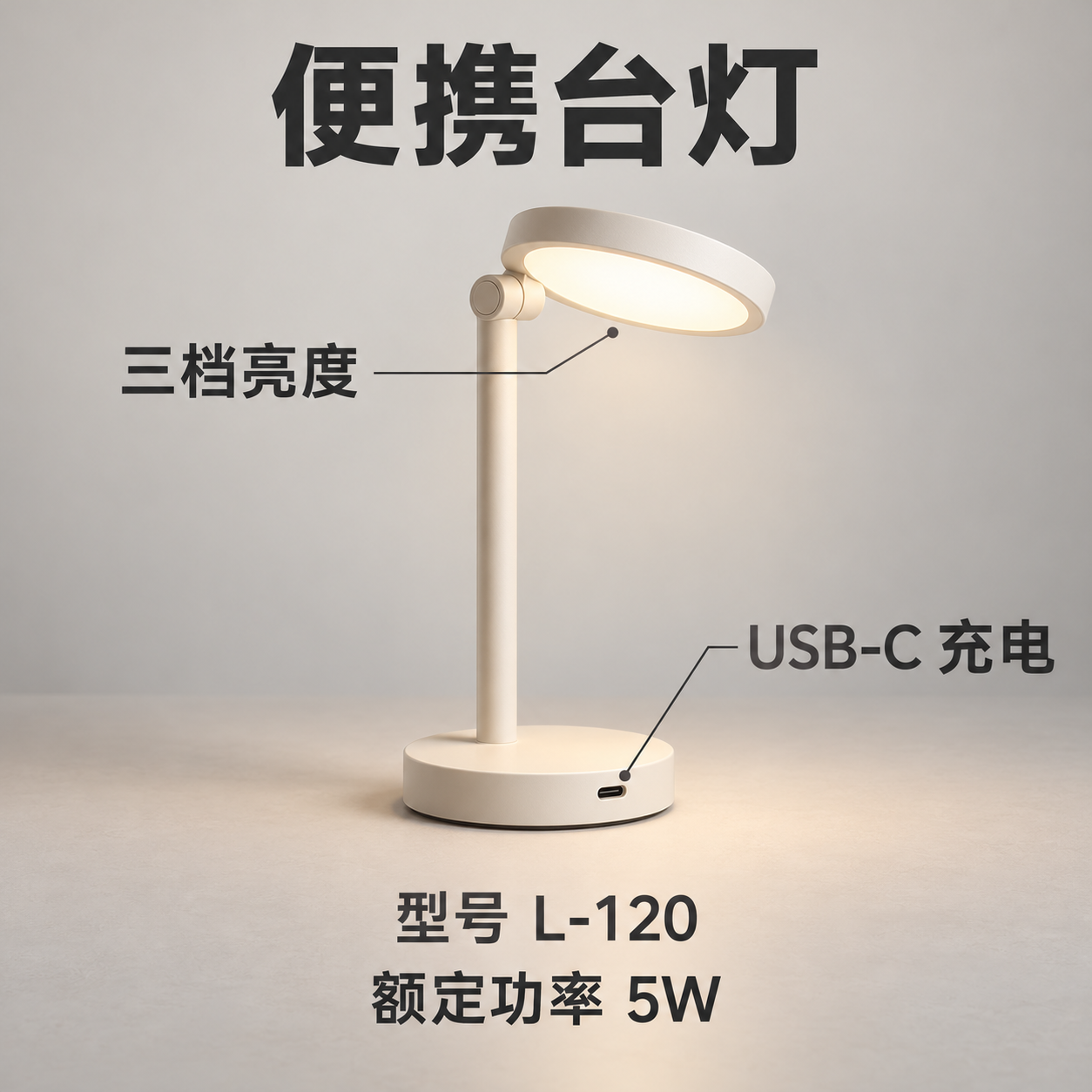
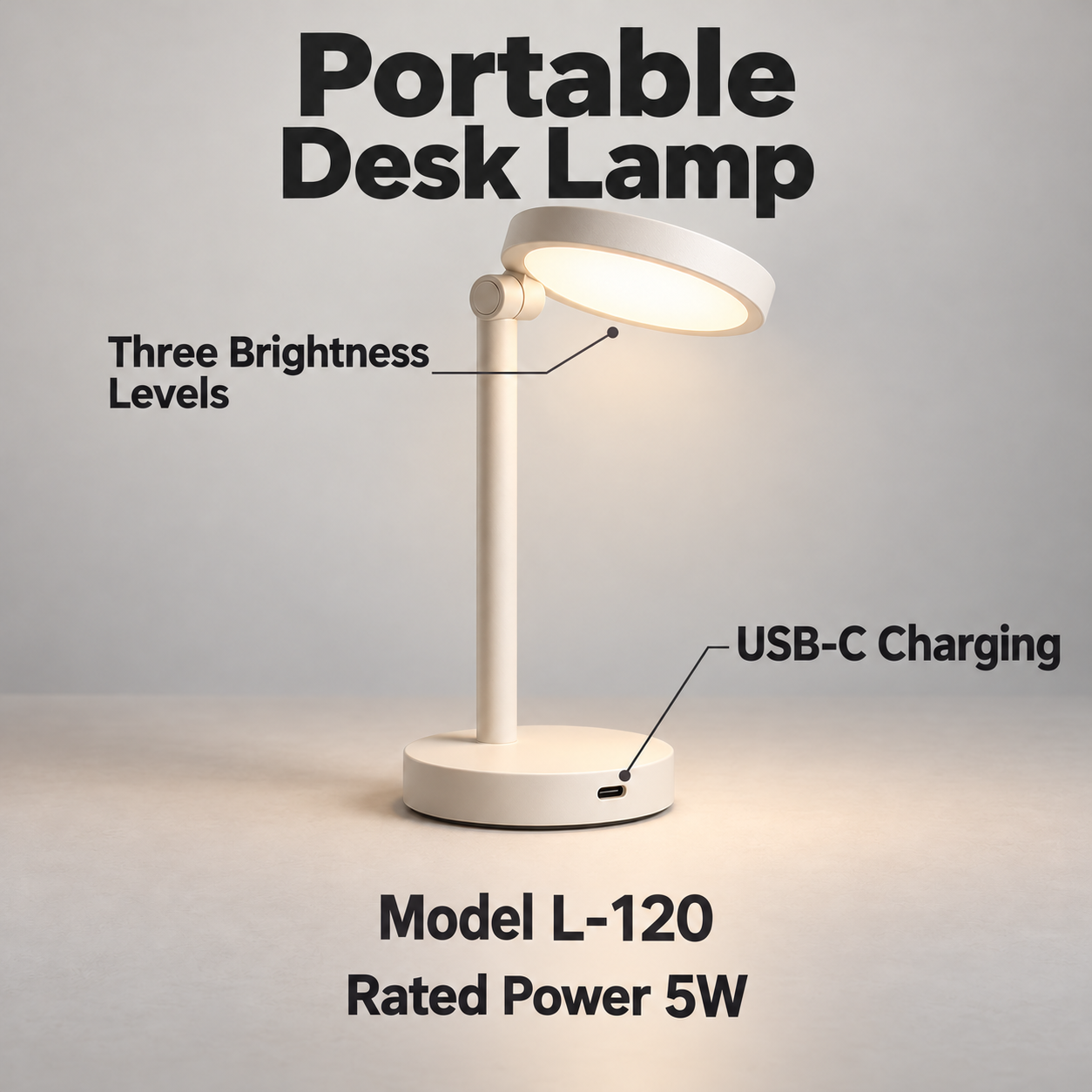
Observed wording: The lamp output reads “Portable Desk Lamp”, “Three Brightness Levels” and “USB-C Charging”. It keeps L-120 and 5W. 三档亮度 refers to three selectable brightness levels; it does not say the lamp has three bulbs or three color temperatures.
What to check: Match each English phrase to its Chinese callout and the feature it points to. The brightness phrase wraps onto two lines. Read it at your listing’s mobile display size and check the pointer still identifies the intended control. USB-C 充电 describes charging through USB-C; it does not establish fast charging or an included charger.
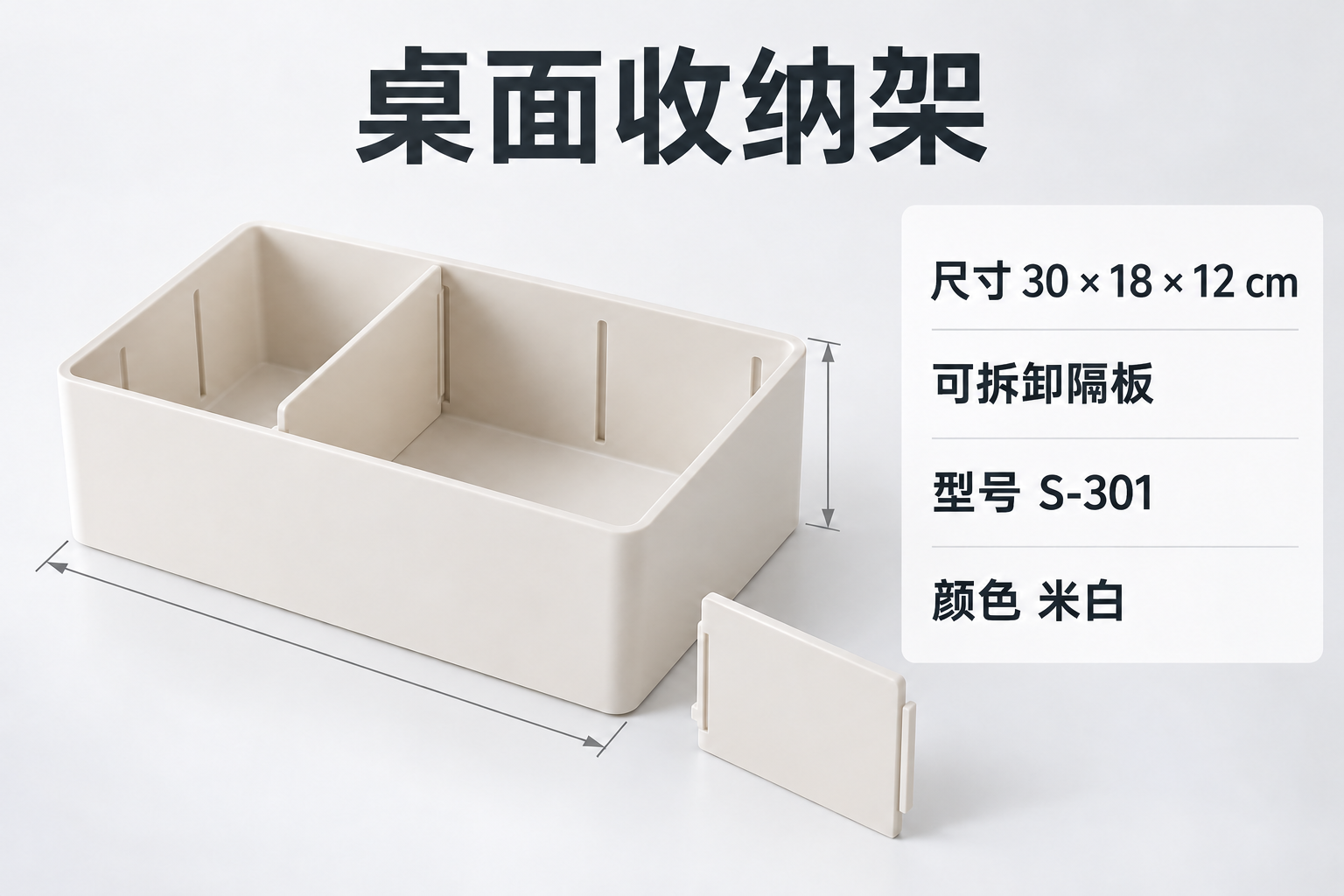
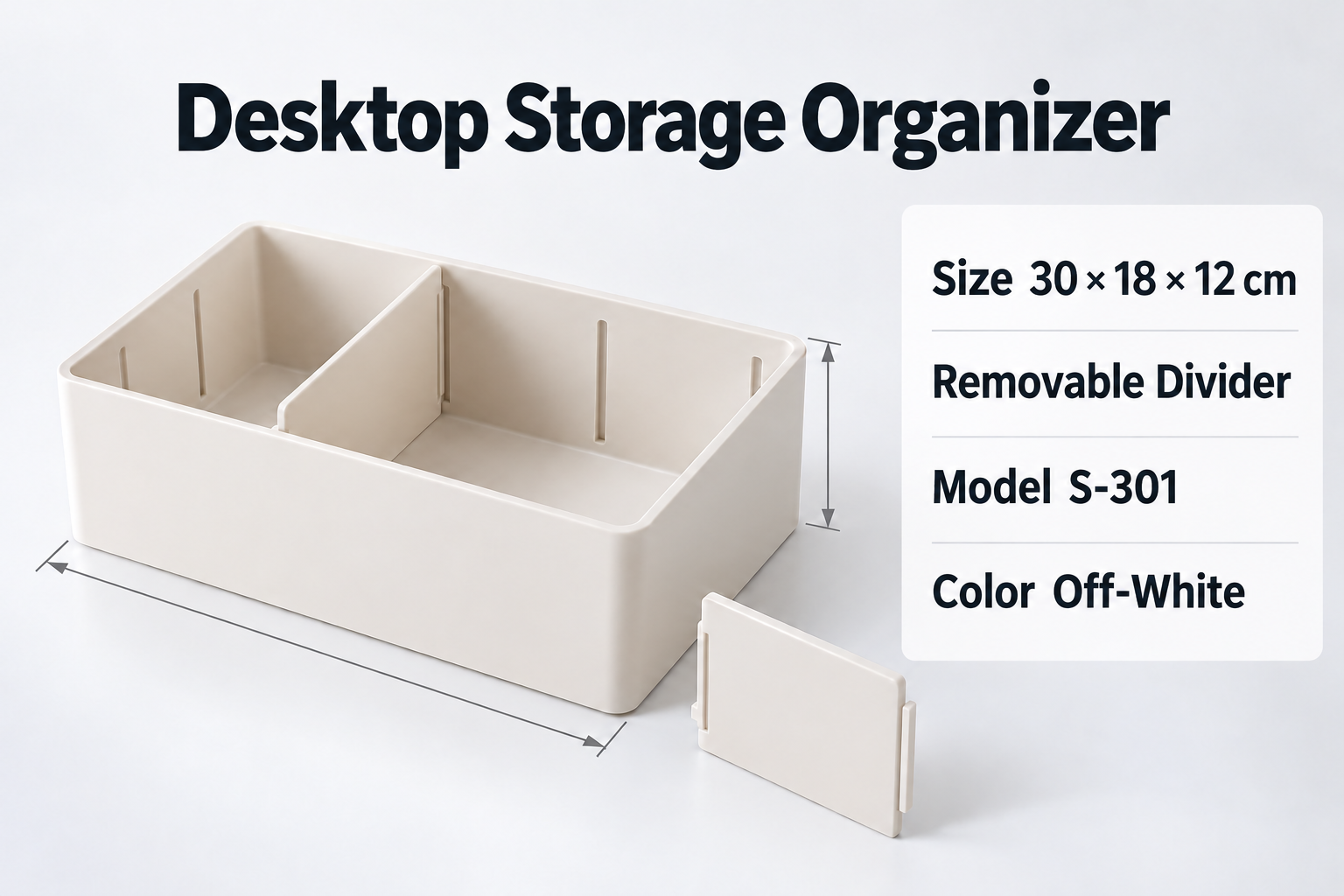
Observed wording: The organizer output keeps 30 × 18 × 12 cm and S-301. 可拆卸隔板 becomes “Removable Divider”; 米白 becomes “Off-White”. The earlier default processing example on our product page rendered the same color as “Milky White”. Both outputs exist; this is a terminology decision to review, not proof that a prompt always produces one preferred term.
What to check: If the source only says 尺寸, it has not labeled which number is width, depth or height. Preserve the sequence and ask the supplier before adding those labels. Match the color wording to the listing’s approved variant name. Do not replace S-301 with an English translation or turn a removable divider into a claim that the whole organizer folds.
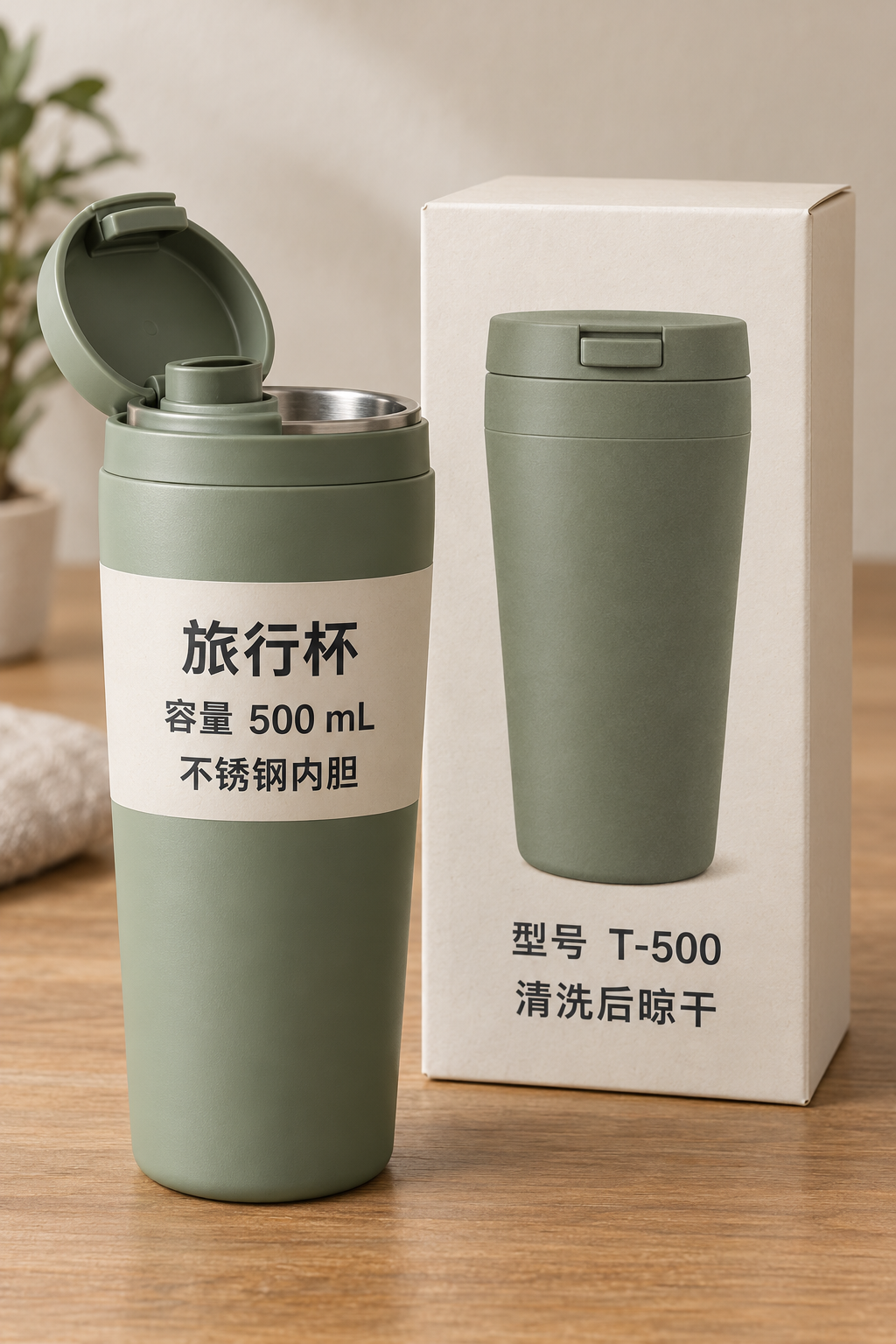
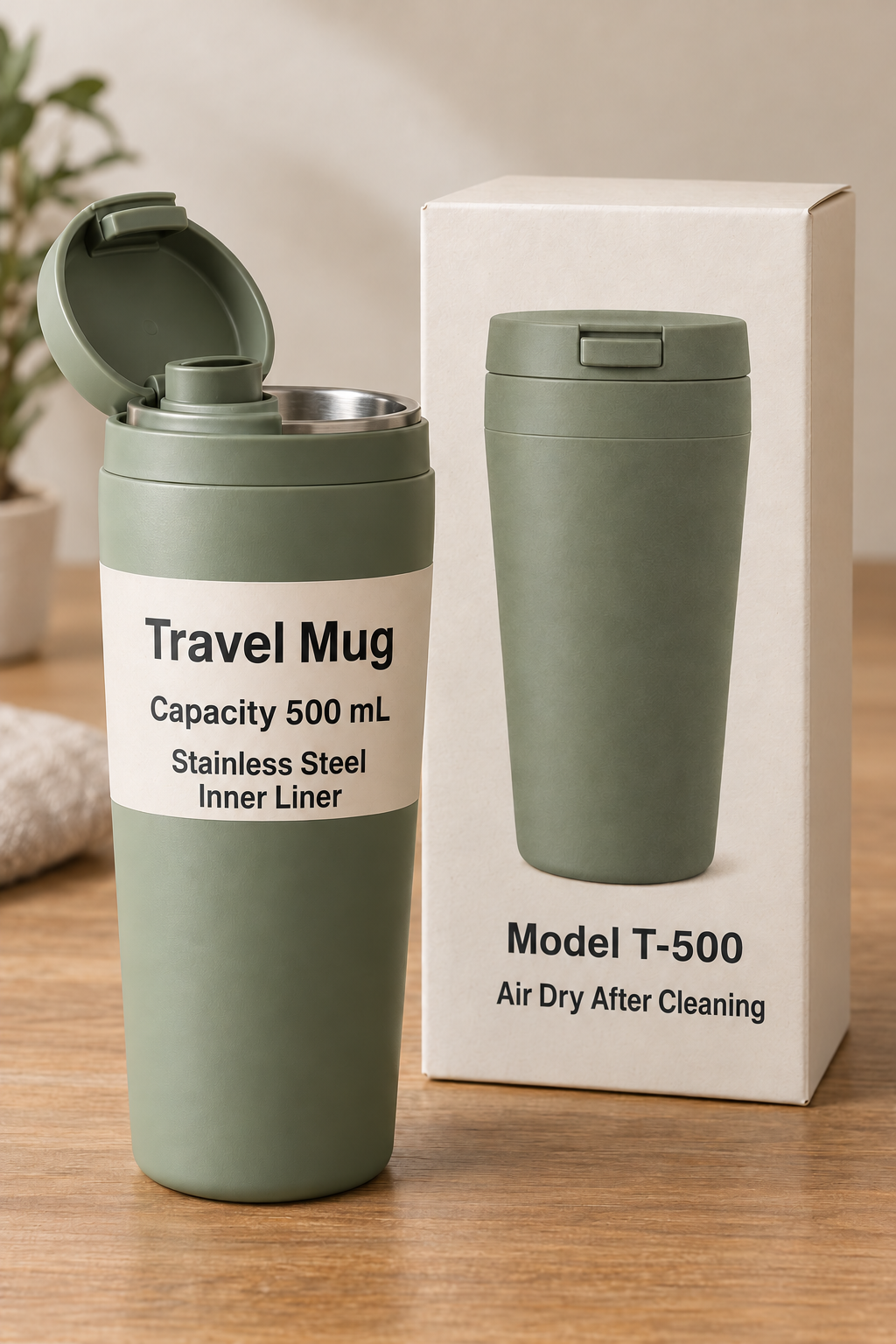
Observed wording: The cup output reads “Air Dry After Cleaning” on the box and keeps T-500 and 500 mL. 清洗后 sets the sequence: after cleaning. 晾干 supplies the action: let it dry in the air. The source does not tell the customer to use the cup immediately after rinsing.
What to check: Review small instructions separately from the product name. 不锈钢内胆 becomes “Stainless Steel Inner Liner” across two lines on the cup. That material description does not specify a steel grade, dishwasher suitability or a food safety certification. Compare the cup, box and capacity again even when the care line looks correct.
An earlier actual output said “Rinse and use after cleaning”, losing the drying instruction. That file is an error example, not an approved translation. The output shown above came from a later run whose instructions explicitly preserved drying. A completed task still needs a meaning check.
Before translating a real SKU, make a short note of its approved brand spelling, model, variant name, measurements and important instructions. Chinese promotional phrases often omit the subject; use the pictured product and supplier specification to resolve what a phrase describes. Do not expand a brief feature into an unsupported performance claim.
Enable Custom Prompt after selecting the image. The field accepts up to 500 characters. For an English organizer graphic, you could use the following instruction. This exact organizer instruction is a suggested starting point, not a separately tested output:
Translate into English. Use “Off White” for 米白 to match our catalog. Keep S-301 and 30 × 18 × 12 cm unchanged. Preserve the dimension order; do not invent width, depth or height labels. Translate 可拆卸隔板 as “Removable Divider”. Do not add product claims.
Only request a catalog term once it has been approved for that item. The actual examples used shared instructions to preserve identifiers, retain the meaning of 清洗后晾干, translate 米白 naturally and avoid added claims. Their wording varied between runs. Instructions guide the model; they are not a locked glossary or an editable text layer.
Translation requires a signed in, verified account and sufficient credits. The current rate is 10 credits per image and target language: one Chinese image into English costs 10 credits; three into English cost 30. Asking for another completed output is a new paid task. Failed tasks return credits, with a pending status possible while that return is processed. Check current plans before a larger submission.
The same language workflow can help with Chinese menus, signs and screenshots. For a menu, compare item names, quantities and prices; for a sign, check arrows and restrictions; for a screenshot, keep enough surrounding text to identify a button or message. These are preparation tips, not additional tested examples. Blurred, obscured or handwritten text may require a clearer source or human transcription. The output is a rendered image; editable OCR text and pinyin are not offered by this workflow.
For SKU and listing review, continue with the product image workflow. For several files or languages, the batch guide covers the task matrix, partial problems and individual downloads. The photo to English guide covers camera preparation, and the label translator is the related tool for packaging photos.
Built for this task
Translate readable Chinese product graphics, labels, menus, signs and screenshots into English images. Check meaning, identifiers and layout before use; dense or vertical text needs individual review.
Review how 三档亮度 becomes “Three Brightness Levels” without turning it into a claim about bulbs, color modes or battery life.
Keep S-301 and 30 × 18 × 12 cm intact, preserve the dimension order and match 米白 to an approved catalog color name.
Compare the complete meaning of 清洗后晾干 with the output, including the drying step. Inspect small print on the box as well as the product.
Prepare readable menus, signs and screenshots. Review prices, arrows and surrounding context; these uses are not additional tested cases on this page.
What you get
Simplified Chinese is initially selected. Change Source Language to Traditional Chinese or Auto Detect when appropriate. English is the target.
The result is a rendered image. Compare translated meaning, numbers, layout and product appearance; text length and typography can change.
Blur, reflections, small print and vertical or crowded text can cause omissions or reading errors. Use a clearer source or a complete section crop; correct reconstruction is not guaranteed.
Frequently asked questions
Upload a JPG, JPEG, PNG or WebP. Simplified Chinese and English are selected initially. Change the source for Traditional Chinese or use Auto Detect, add any preservation instructions, then sign in with a verified account to translate. Review the entire result before downloading.
Yes. Source Language offers Simplified Chinese and Traditional Chinese separately, plus Auto Detect. The worked examples here use Simplified Chinese; they do not establish recognition quality for Traditional Chinese or mixed scripts.
Correct reading order and layout are not guaranteed. Inspect every text block. For a tall sheet, try meaningful panels that keep headings, values and arrows together, and retain the full original for reference. The examples here do not test vertical writing.
Use Custom Prompt to specify identifiers and approved terminology, then compare the output with the source and catalog. Instructions are not a locked glossary. The examples show preserved models and dimensions, alongside wording that still needs review.
The current rate is 10 credits per image and target language. One image into English costs 10 credits; three cost 30. A new output after a completed task uses another paid task. Failed tasks return credits, sometimes after a pending period. See pricing for current plans.
Yes. Add up to ten images and choose up to five target languages. Each image must be at most 20 MB and 4096 pixels on its longest side. Source language and optional instructions are shared across the selected set; review and download each result individually.
This workflow returns an image with English wording. It does not provide an editable OCR transcript, pinyin, a translated PDF document or a text editor. Keep the original source and your design file if you need later edits.
Continue exploring
Free credits to start
Translate Chinese images to English. Review real product examples, preserve models and units, and check Simplified or Traditional Chinese wording before downloading.